
Download Adobe Scan APK – PDF Scanner, OCR, Document Digitizer
Overview
Adobe Scan APK is a mobile productivity tool designed to digitize physical documents with precision and speed. It enables users to transform paper-based materials—such as receipts, notes, business cards, whiteboards, and photos—into high-quality digital files. The software leverages optical character recognition (OCR) technology to convert scanned images into searchable PDFs and editable document formats. This functionality makes it ideal for professionals, students, and remote workers who need to archive, share, or edit paper documents on the go. Developed by Adobe Systems, Adobe Scan benefits from the company’s established reputation in digital document management. The app is available for free on Android devices, offering a lightweight yet powerful scanning solution without requiring additional hardware. Real-world use cases include digitizing meeting notes, capturing invoices for expense tracking, and archiving academic materials. It supports automatic border detection and image enhancement, reducing manual adjustments. Files can be stored locally or uploaded to Adobe Document Cloud for secure access across devices. The developer did not provide additional system requirements. Platform compatibility information is limited to Android smartphones and tablets.Key Features & Capabilities
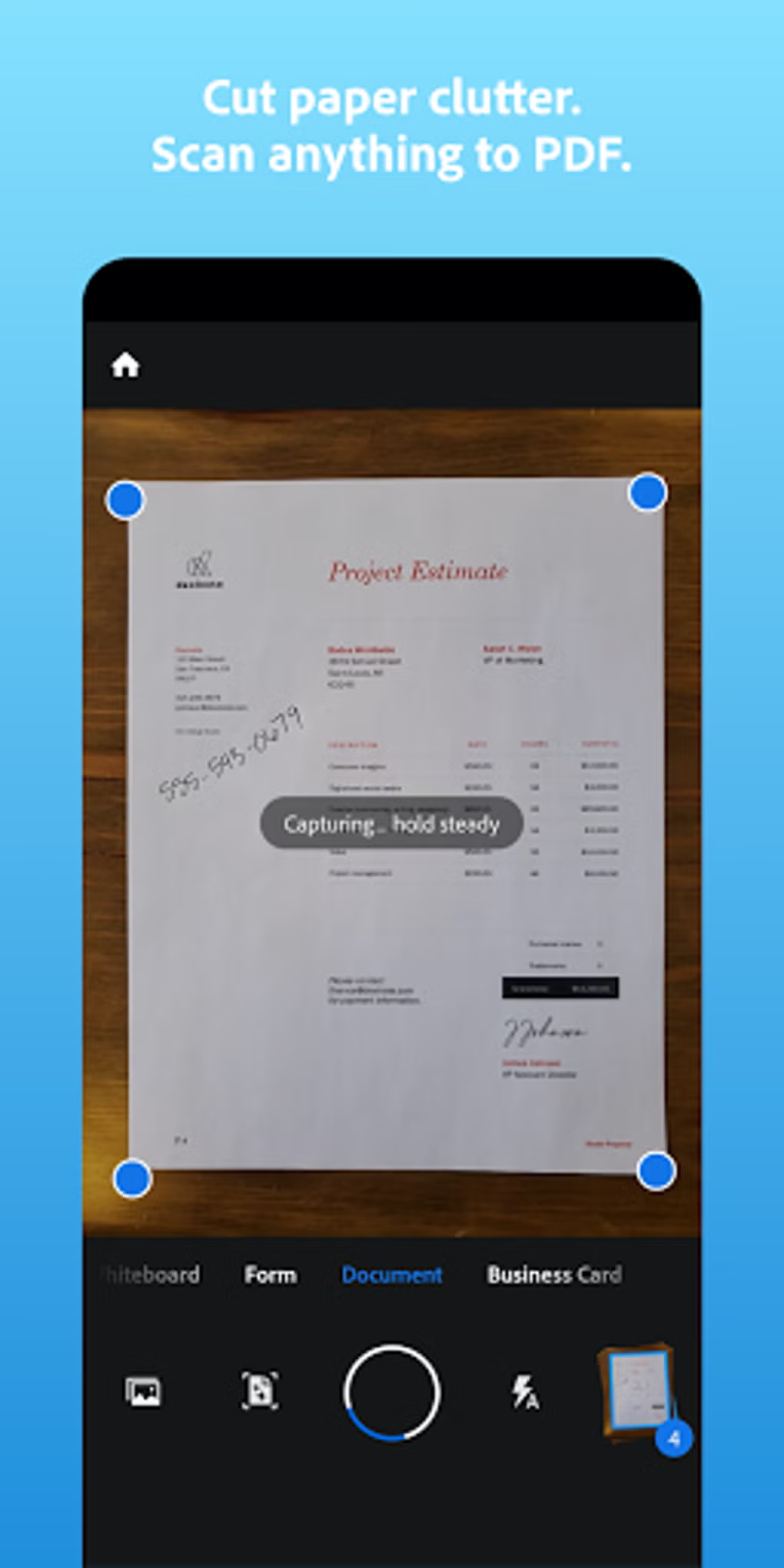
- Automatic Document Detection – The app uses intelligent algorithms to detect document edges and automatically crop scans, eliminating the need for manual framing.
- Optical Character Recognition (OCR) – Converts scanned text into searchable and editable content, allowing users to locate specific keywords within documents.
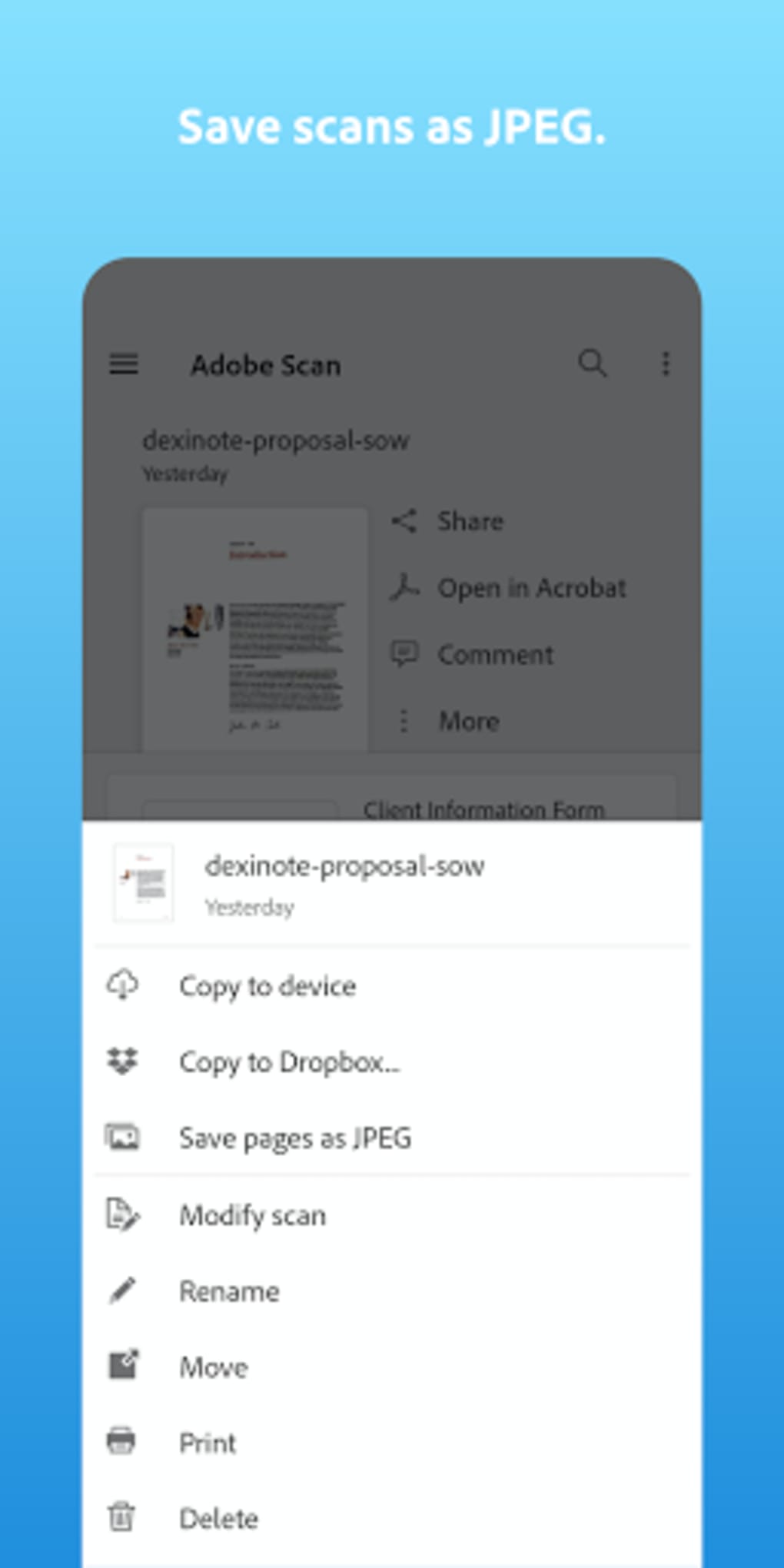
- Multi-Format Export – Scanned documents can be saved as PDF, JPEG, or, in the premium version, exported to Microsoft Word, Excel, or PowerPoint formats.
- Cloud Integration – Files are securely stored and synchronized via Adobe Document Cloud, enabling access across multiple devices.
- Batch Scanning & Merging – The premium version allows users to combine multiple scans into a single document for streamlined organization and sharing.
- High-Quality Image Enhancement – Automatically sharpens images and adjusts contrast to improve readability and visual clarity.
- Offline Scanning Capability – Users can scan documents without an internet connection, though cloud syncing requires connectivity.
User Interface, Workflow & Performance
The user interface of Adobe Scan APK is clean, minimalist, and highly intuitive. The main screen presents a central camera view with clearly labeled buttons for scanning, settings, and file management. Navigation is straightforward, with minimal onboarding required. Users can quickly initiate a scan by pointing the device’s camera at a document, after which the app automatically detects edges and enhances the image. The workflow is optimized for speed and accuracy, with real-time feedback during the scanning process. The developer did not specify resource usage details, so exact performance metrics remain unknown. However, based on general software behavior patterns, the app is expected to operate efficiently on modern Android devices. Stability appears consistent across typical usage scenarios. CPU and RAM behavior were not disclosed. The app supports offline functionality, allowing users to scan and store files without internet access. Cloud features, such as syncing and sharing, require an active connection.Compatibility & System Requirements
Adobe Scan APK is designed for Android smartphones and tablets. The supported operating system version and installation size were not specified. The developer did not provide detailed hardware requirements. Compatibility information is limited to Android devices. The app can be installed directly via APK file on compatible devices. Users should ensure their device meets basic Android system standards for app installation. Exact performance details were not specified. Platform compatibility information is limited.Pros and Cons
Pros
- Free to download and use with no hidden costs
- High-quality scans with automatic border detection and image enhancement
- Powerful OCR functionality for searchable PDFs
- Seamless integration with Adobe Document Cloud for secure cloud storage
- Supports multiple export formats, including editable Word and Excel files (premium)
- Intuitive interface suitable for users of all skill levels
- Offline scanning available for on-the-go use
Cons
- Advanced features like batch merging and format conversion require a paid subscription
- OCR capacity limited to 25 pages in the free version (upgradable in premium)
- No information provided on minimum device specifications or RAM/CPU usage
- Cloud features require an internet connection for syncing and sharing
- Only available for Android devices; no official support for iOS or other platforms
FAQ Section
Is Adobe Scan free to use?
Yes, Adobe Scan can be downloaded and used free of charge. The core scanning features, including OCR and PDF export, are available at no cost. However, advanced capabilities such as batch merging and format conversion require a subscription.
Can I use Adobe Scan without an internet connection?
Yes, the app supports offline scanning. You can capture and store documents locally on your device. However, cloud syncing, sharing, and access to Adobe Document Cloud require an active internet connection.
What file formats does Adobe Scan support?
Adobe Scan allows export to PDF and JPEG formats in the free version. The premium version adds support for exporting to Microsoft Word, Excel, and PowerPoint files.
Is Adobe Scan safe and secure?
As a product developed by Adobe Systems, Adobe Scan adheres to industry-standard security practices. Files stored in Adobe Document Cloud are encrypted, and user data is protected during transmission and storage. The app does not collect unnecessary personal information.
How do I update Adobe Scan?
Updates are delivered through the Google Play Store or via APK file. Users can manually check for updates within the app settings or install the latest version directly from the official Adobe website.






.png)
